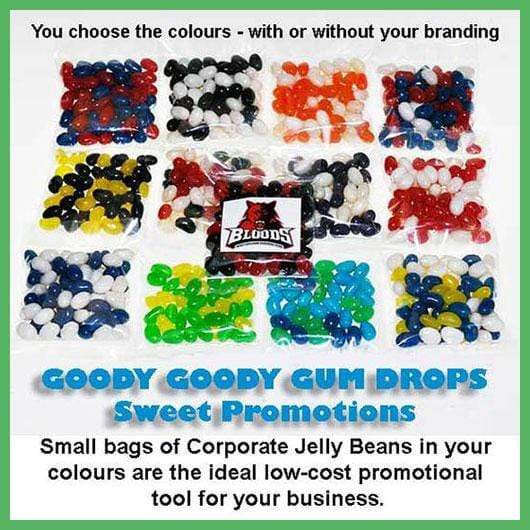
LOW COST PROMOTIONAL LOLLY BAGS FOR YOUR BUSINESS - WITH OR WITHOUT YOUR BRANDING.
LOLLIES - SWEETS - CANDY
CHOCOLATE INDULGENCE
ROCK CANDY & LOLLIPOPS
PROMOTIONAL LOLLY BAGS
Low-cost branded jelly bean bags in your colours. An ideal way to promote your business.
LOLLIES - SWEETS - CANDY

PARTY MIX & JELLIES
CHOCOLATE INDULGENCE

Chocolate indulgence in bulk.

Gourmet chocolate in bulk.
ROCK CANDY & LOLLIPOPS

ROCK & LOLLIPOPS

Australian made LOLLIPOPS custom made in your colours.
PROMOTIONAL LOLLY BAGS

MINI LOLLY BAGS & JARS

Promo Lolly Bags in your colours.
Low-cost branded jelly bean bags in your colours. An ideal way to promote your business.

04 May, 2019 1 min read
Welcome to the Goody Goody Gum Drops Facebook Lolly Shop! Now you can explore and purchase our extensive range of confectionery products directly from our Facebook page. From delightful lollies to irresistible chocolates, we've made your online shopping experience easier than ever.
Our offerings are organized into categories like Gluten Free Lollies, Wedding Lollies, and Candy Buffets, making it simple to find exactly what you need. Whether you're treating yourself or stocking up for a special event, our Facebook Lolly Shop has something for everyone.
If you own a small or large business, don't miss our "Sweet Promotions" range. These low-cost promotional lollies are perfect for boosting sales and thanking your loyal customers. Stand out with custom branding options that make your sweets memorable!
At Goody Goody Gum Drops, we pride ourselves on being Australia’s go-to online lolly shop. We are honored to be recognized as Australia’s Best Online Lolly Shop in both 2022 and 2026. Shop our unique and high-quality products straight from your favorite social media platform!
Visit our Facebook page today and indulge in a sweet shopping experience!
Comments will be approved before showing up.
Sign up to get the latest on sales, discount codes, new products and more …
You have copied the placement for the Product Page.
Go back to the App Embeds section, and in the Paypal Advanced Settings, paste the copied value into the Product Page field and click the 'Save' button in the top right corner.