

LOLLIES - SWEETS - CANDY


GOURMET CHOCOLATE INDULGENCE.


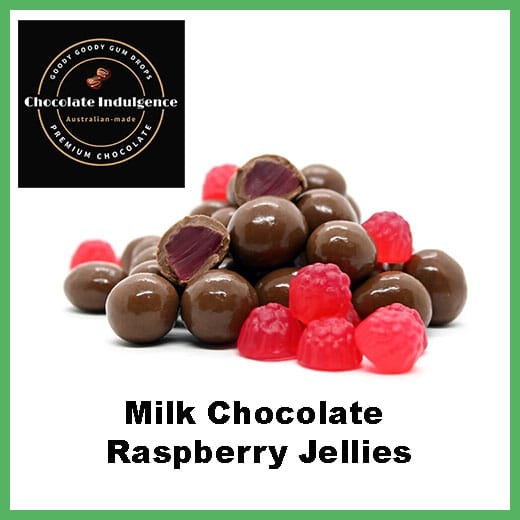

ROCK CANDY - BOILED LOLLIES - LOLLIPOPS




PROMOTIONAL LOLLY BAGS
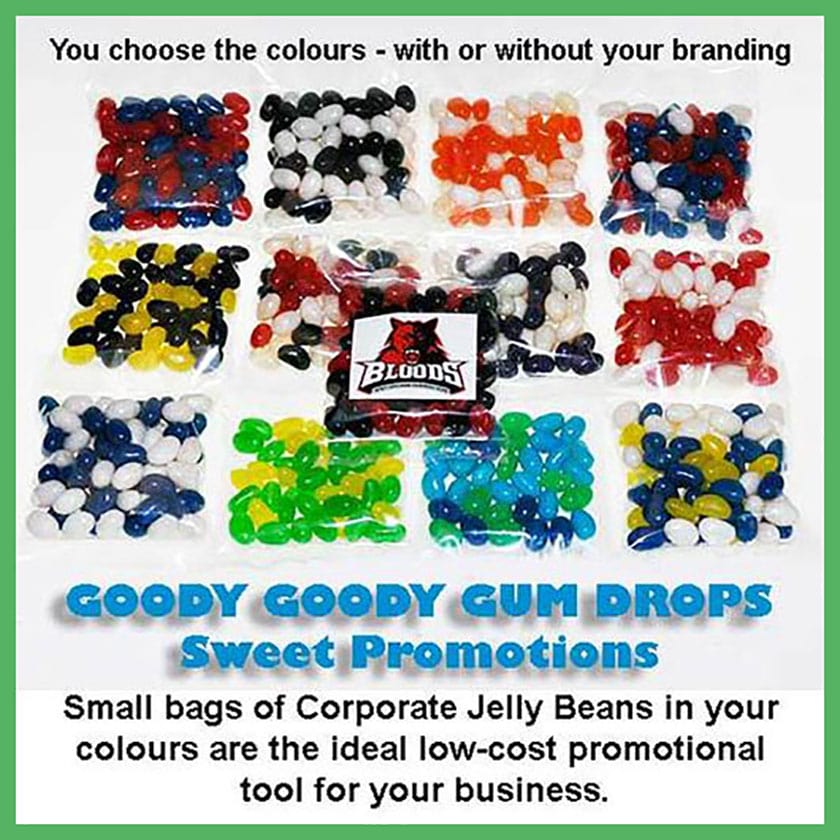

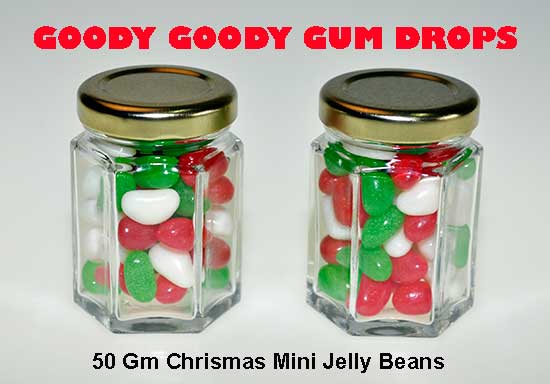

Low-cost branded jelly bean bags in your colours. An ideal way to promote your business.


Sweeten Your Shopping: The Benefits of Using PayPal with Goody Goody Gum Drops
Indulge Your Sweet Tooth with Confidence: Why Paying with PayPal at Goody Goody Gum Drops is a Smart Choice.
Who can resist the allure of a delightful treat from Goody Goody Gum Drops? Whether you're craving classic chewy delights, sour sensations, or perhaps something a little more exotic, Goody Goody Gum Drops has a confectionary treasure for every taste. And now, making those sweet purchases is even easier and more secure thanks to the power of PayPal. In 2026, online shopping convenience is paramount, and integrating a trusted payment method like PayPal into your checkout experience significantly enhances your journey from browsing to enjoying your favorite candies.
This article will explore the distinct advantages of choosing to pay with PayPal when you shop at Goody Goody Gum Drops, focusing on security, flexibility, and the innovative PayPal Pay in 4 feature. Get ready to discover why this dynamic duo makes for a truly satisfying online shopping experience.
Unlocking a World of Benefits: Why Choose PayPal for Your Goody Goody Gum Drops Haul?

When you opt to pay with PayPal at Goody Goody Gum Drops, you're not just completing a transaction; you're accessing a suite of benefits designed to protect you and simplify your online spending. Here are some of the key advantages:
- Enhanced Security: PayPal acts as a secure intermediary between your bank account or credit card and Goody Goody Gum Drops. This means your sensitive financial information isn't directly shared with the merchant, significantly reducing the risk of data breaches. PayPal employs advanced encryption and fraud detection systems to keep your transactions safe.
- Buyer Protection: With PayPal's robust Buyer Protection program, you can shop with peace of mind. If your order from Goody Goody Gum Drops doesn't arrive, or if it's significantly different from what you expected, PayPal can help you get your money back. This added layer of security is invaluable, especially for online purchases.
- Convenience and Speed: Setting up a PayPal account is quick and easy. Once linked to your preferred payment methods, checking out with PayPal is a breeze. Simply log in to your PayPal account, confirm the payment, and your delicious gum drops are on their way! No need to re-enter card details every time.
- Global Accessibility: PayPal is accepted worldwide, making it a versatile payment option if Goody Goody Gum Drops ships internationally or if you're an international candy enthusiast.

Introducing PayPal Pay in 4: The Sweetest Way to Spread the Cost
One of the most exciting innovations from PayPal, and a major reason to pay with PayPal at Goody Goody Gum Drops, is PayPal Pay in 4. This feature offers a flexible and interest-free way to manage your payments, making those larger candy hauls more accessible than ever.
How PayPal Pay in 4 Works:
PayPal Pay in 4 allows you to split your purchase from Goody Goody Gum Drops into four equal, interest-free installments. The first payment is due at the time of purchase, and the remaining three are automatically scheduled every two weeks. This means you can get your hands on your favorite treats now and pay for them over time without incurring any extra interest charges.
Here are the benefits of PayPal Pay in 4:
- Interest-Free Payments: As long as you make your payments on time, you won't pay any interest. This is a significant advantage over traditional credit card financing.
- Budget-Friendly: Spreading the cost of your goodies over four payments makes it easier to manage your budget, allowing you to enjoy more without a single large upfront payment.
- Instant Approval: For many purchases, you can get instant approval for PayPal Pay in 4 at the checkout, making the process seamless.
- No Impact on Credit Score (for most users): Unlike some other financing options, using PayPal Pay in 4 typically doesn't impact your credit score, making it a low-risk way to manage your payments.
Seamless Integration with Goody Goody Gum Drops
The integration of PayPal as a payment option at Goody Goody Gum Drops is designed to be incredibly user-friendly. During the checkout process, you'll see PayPal as a prominent payment choice. Simply select it, log in to your PayPal account, and choose whether you want to use your PayPal balance, linked bank account, or a credit/debit card. If PayPal Pay in 4 is available for your order total, you'll see it as an option, allowing you to select it if it suits your needs.
Conclusion: Sweeten Your Shopping Experience with PayPal
In 2026, making smart choices about how you shop and pay online is more important than ever. By choosing to pay with PayPal when purchasing from Goody Goody Gum Drops, you are opting for a secure, convenient, and flexible payment solution. The added benefit of PayPal Pay in 4 takes this convenience a step further, allowing you to enjoy your favorite sweets now and spread the cost without interest. So, the next time you're ready to indulge in a delightful selection from Goody Goody Gum Drops, remember that paying with PayPal, especially with PayPal Pay in 4, is the sweetest way to go!

For a short time only, you will receive a free pair of Retro Sunglasses with your Goody Goody Gum Drops order when you pay using your PayPal account, your credit or debit card through PayPal or use PayPal's interest free "Pay in 4". (Offer ends 13th May 2026)
Leave a comment
Comments will be approved before showing up.
PayPal Pay Later Messaging
Step 1: Choose message placement
Click the button below and then hover over your page to select a placement.